
The Mercer County Court Calendar
Mercer County has no single calendar that covers every court. Celina Municipal Court offers the strongest public tools. Its CaseLook Court Calendar and Court Schedule links serve the municipal stream: adult traffic, misdemeanors, civil matters, small claims, and parking cases. The CaseLook monthly calendar helps you spot municipal hearing activity. The individual case result and the municipal clerk confirm what a date really means.
Common Pleas works differently. The General and Domestic Relations record stream runs through CourtView. The Clerk of Courts Legal Division holds the same records. Probate and Juvenile keep their own division records. So a Mercer County court calendar search starts with court identification. Don't guess that one portal holds every hearing. A summons, citation, or newest docket entry is the best first clue to the right court.
Note: A calendar tool points to a likely setting. But after any change, the newest docket notice or court order remains the safer source.
Mercer County CaseLook Calendar Controls
The monthly CaseLook calendar at Celina Municipal Court gives you four filters. They are month, year, attorney, and an official or public view. The year selector runs from 2006 through 2046. Attorney defaults to All. The Official selector offers All, a current judge code, and Public View. These controls narrow a municipal calendar nicely. But treat the Official selector as a display option, not as a case classification or any finding about a party.
| Calendar Control | What It Does | Mercer County Caution |
|---|---|---|
| Month and Year | Selects the period to display. | A date tile can be historical; check the newest case entry for the active setting. |
| Attorney | Filters the live municipal calendar by a listed attorney or All. | The option list changes and is not a substitute for a case-number search. |
| Official | Filters by All, a displayed official code, or Public View. | This control does not identify a case type or decide which case records are public. |
| Filter Hearings | Applies the selected calendar filters. | Use it to locate a date, then compare the case docket and notice. |
| Calendar Output | Shows date tiles and a hearing count for a date. | The observed interface does not support claims that every caption, room, or event type is shown on each tile. |
The official CaseLook monthly calendar presents the Mercer County municipal calendar interface, with its month grid and filtering controls in one view.
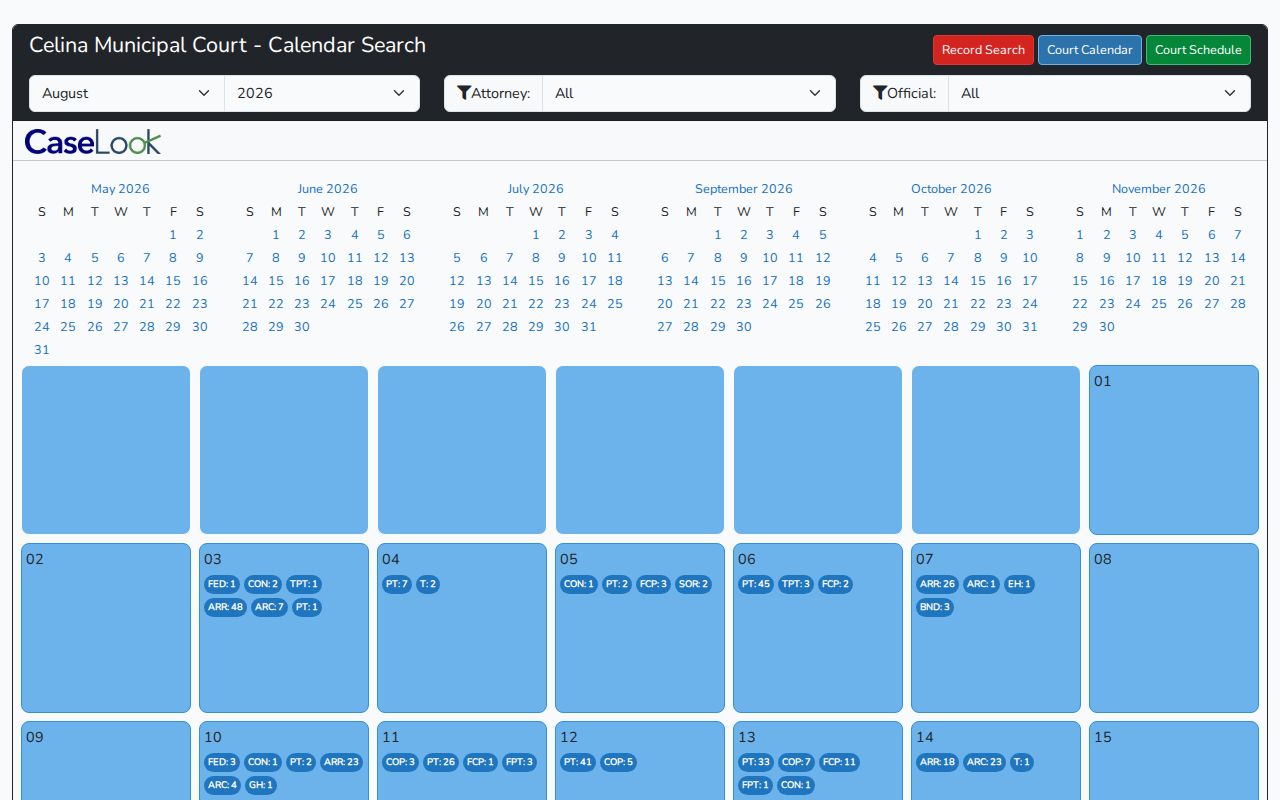
Filters help you find a municipal date fast. Still, the current Mercer County setting comes from the case record itself, with clerk confirmation when anything looks off.
How to Find Your Court Date
Work the channels in the order that fits your case. Read the citation, summons, hearing notice, or newest docket entry first. A Celina Municipal case? Search CaseLook by case number, ticket number, name, or hearing date. Then check its calendar or schedule for context. For Common Pleas, use CourtView and compare the most recent setting, notice, or order. A screen result can conflict with a current record. Then the Clerk Legal Division is the official Common Pleas fallback. If a calendar result and the actual court paper disagree, the paper wins.
- Identify the Mercer County court from the case document and save the case or ticket number.
- For municipal matters, search CaseLook, then open Court Calendar or Court Schedule if the date needs context.
- For Common Pleas General or Domestic Relations matters, use CourtView and read the most recent notice-of-hearing, order, or setting entry.
- If an online result is delayed, silent, or contradictory, call Celina Municipal Court at 419-586-6491, the Common Pleas court office at 419-586-2122, or the Clerk Legal Division at 419-586-6461.
- For Probate or Juvenile matters, contact the division that holds the file rather than assuming it appears in CourtView or CaseLook.
The in-person fallback also depends on the court. Common Pleas public access sits at the Clerk Legal Division terminal. It is available under Local Rule 29 during regular business hours. Celina Municipal Court runs a separate counter of its own. Anyone represented in a case should also read the current notice. Talk with counsel before an upcoming setting.
Mercer County Court Schedule Dates
CaseLook's Court Schedule is not the same tool as the month-grid Court Calendar. The schedule interface uses Begin Date and End Date controls. It also carries the same Attorney and Official-style filtering found across the municipal system. That makes it the better fit for a short span or a known date range. It beats a broad month view for that purpose. It stays a municipal channel, though. It cannot replace CourtView for a Common Pleas setting.
The official CaseLook Court Schedule shows this separate municipal date-range path.
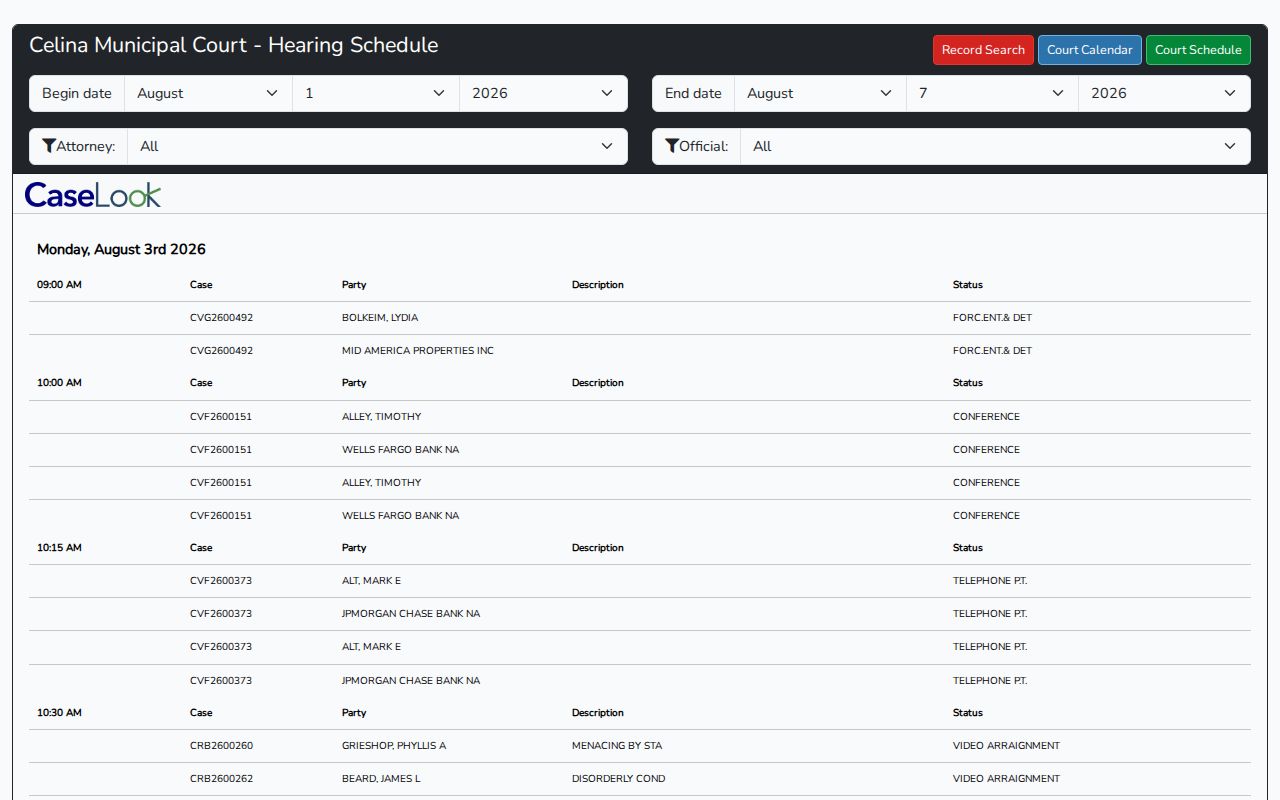
Use the schedule to narrow a Mercer County municipal date window. Then open the case docket, because a later notice or order can control the actual setting.
Reading a Court Setting
A court setting is a scheduled event in a case. It might be an arraignment, pretrial, hearing, trial, or a named civil event. Read the whole entry, and never treat a lone date as the instruction. The case document or docket names the court and the time. It also names the event type and any order affecting the setting. Where the public calendar leaves a detail out, don't fill the gap. Never guess from a general schedule pattern.
| Date | The calendar day for the event. Check the newest entry after a continuance or reset. |
|---|---|
| Time | The listed start time for the setting. A general session time is not necessarily a personal appearance time. |
| Court / Location | The court stream that has the case. Celina Municipal Court and Common Pleas are separate Mercer County locations. |
| Official / Court | The court or displayed official associated with a setting. A calendar filter is not a case-type label. |
| Setting Type | The purpose, such as arraignment, pretrial, hearing, trial, default-judgment hearing, final confirmation of sale, or summary-judgment hearing. |
| Controlling Entry | The most recent notice, order, or docketed setting that confirms whether the event is current. |
Mercer County Court Session Patterns
Celina Municipal Court keeps a recurring session schedule. That can explain why a Mercer County court calendar item sits where it does. It cannot tell you your own appearance date. Arraignments get fixed times. Traffic and criminal arraignments are set for Mondays at 1:30 p.m. and Fridays at 9:00 a.m. Trials and pretrials fill Tuesdays, Wednesdays, and Thursdays for the most part. That pattern is helpful context beside a CaseLook result. It never outweighs a newer notice or a setting made just for your case.
Common Pleas runs its civil docket differently. Mondays and Tuesdays at 8:30 a.m. carry default-judgment, final-confirmation-of-sale, and summary-judgment hearings. Leave of court can move them. Divorces and dissolutions land on those same two days unless the court schedules otherwise. Treat it all as recurring Mercer County practice. It is not proof that a particular matter is still on the docket.
The Celina Municipal Court calendar page lays out the court's published session times in full.
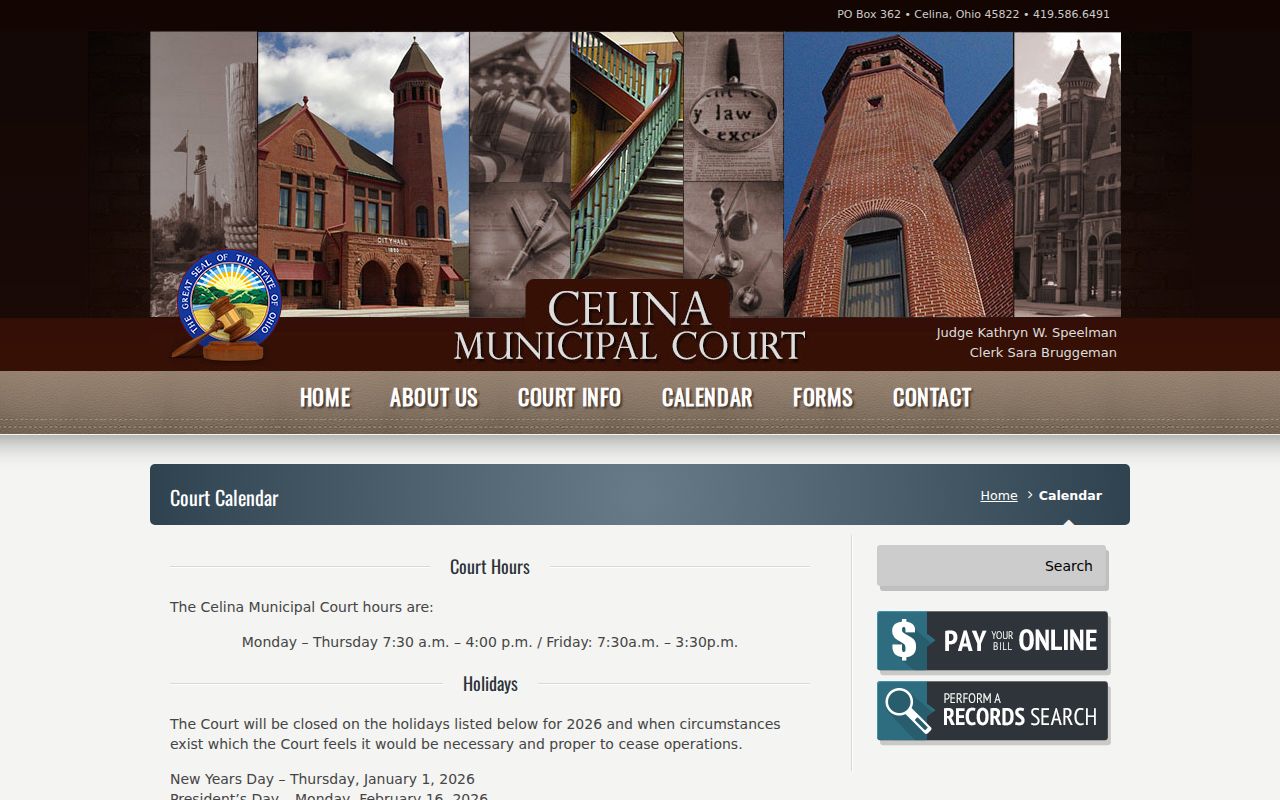
The posted pattern orients a Mercer County reader. For the real hearing date, trust the individual CaseLook record or the court's current communication.
Resets, Continuances, and Cancellations
A continuance or reset means the court itself moved a hearing date. Older settings stay on the docket as history. A past calendar tile tells you nothing about current status. Find the newest notice of hearing, order, or setting entry. A cancellation may show up as a moved event, not a clean disappearance. The court record carries context that a date tile alone can miss.
Celina CaseLook cautions that filings and judicial action can lag at least 24 hours behind the display, sometimes longer. That gap matters most right after a continuance. CourtView is convenience access too, updated daily rather than promising official documents. Mercer County entries can conflict. Call the right office instead of assuming the older one still controls.
Municipal contradictions go to Celina Municipal Court. For Common Pleas, start with CourtView. Then try the Clerk Legal Division or the court office. Ask whether the listed setting is still current. Whether an old date still shows online is the wrong question.
Note: A continuance changes a date by court action. The newest notice or order beats any older calendar tile.
Mercer County Court Calendar Confirmation
Work from a hierarchy whenever a date truly matters. A notice, citation, summons, or the latest docket entry identifies the intended event. CaseLook or CourtView adds public context. The clerk or court office settles any live conflict. An in-person record check is possible at the proper counter. Following that order keeps a current court action from being replaced by a stale calendar display. The official Celina Municipal Court contact page gives the municipal court its own channel.
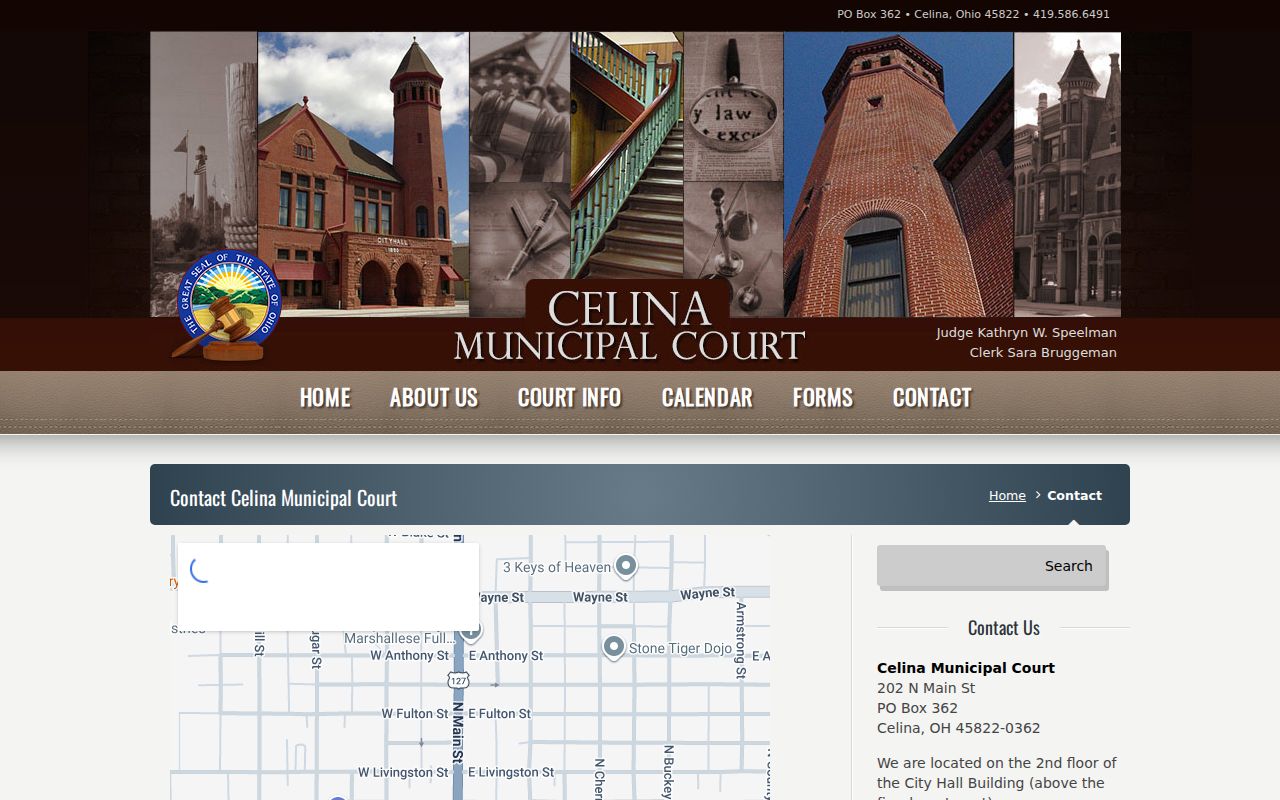
That separate municipal route covers Mercer County traffic, misdemeanor, civil, small-claims, and parking calendars. Common Pleas dates belong with CourtView and its clerk or court office.
What To Do If You Miss a Setting
Never assume a missed Mercer County setting was cancelled or reset on its own. Pull the case record first. Then call the court that holds it and ask what the current docket shows and what action is required. Municipal cases go to Celina Municipal Court. Common Pleas matters run through CourtView plus the Common Pleas clerk or court office. Probate and Juvenile each need their own division contact.
Missed a Setting? A missed court event can leave a Mercer County case moving without the party’s participation, so confirm its present status promptly.
Contact the record-holding court or clerk with the case number, and ask for the newest setting, order, or notice rather than relying on an older calendar result.
If counsel represents a party, communicate with counsel promptly about the missed Mercer County setting and any court instruction.
CaseLook gives municipal users a starting case number or recent entry. CourtView locates the Common Pleas record stream. Neither portal replaces a current court instruction. The clerk can explain its records channel, while court-specific legal advice belongs with a licensed attorney.
Mercer County Division-Specific Dates
Probate and Juvenile dates take separate inquiry. Both divisions sit in Room 307 of the Mercer County Courthouse. Do not expect either to surface in CourtView or CaseLook. Probate may offer a public search entry point. Its online entries can lag five to ten business days. Juvenile records carry confidentiality limits that restrict what the public can see.
The practical Mercer County route is simple. Identify the division named on the court paper. Then ask that division how to confirm a current hearing date. Call Probate at 419-586-8779 or Juvenile at 419-586-1249. Use them when public portals fall short. A public-records request cannot override a confidential record, a sealing rule, or a court order.